Communication via the Chat
The ReitCircles portal provides a secure chat feature to facilitate communication between users and reviewers. This ensures smooth and efficient interactions during the asset verification process.
Access the Chat
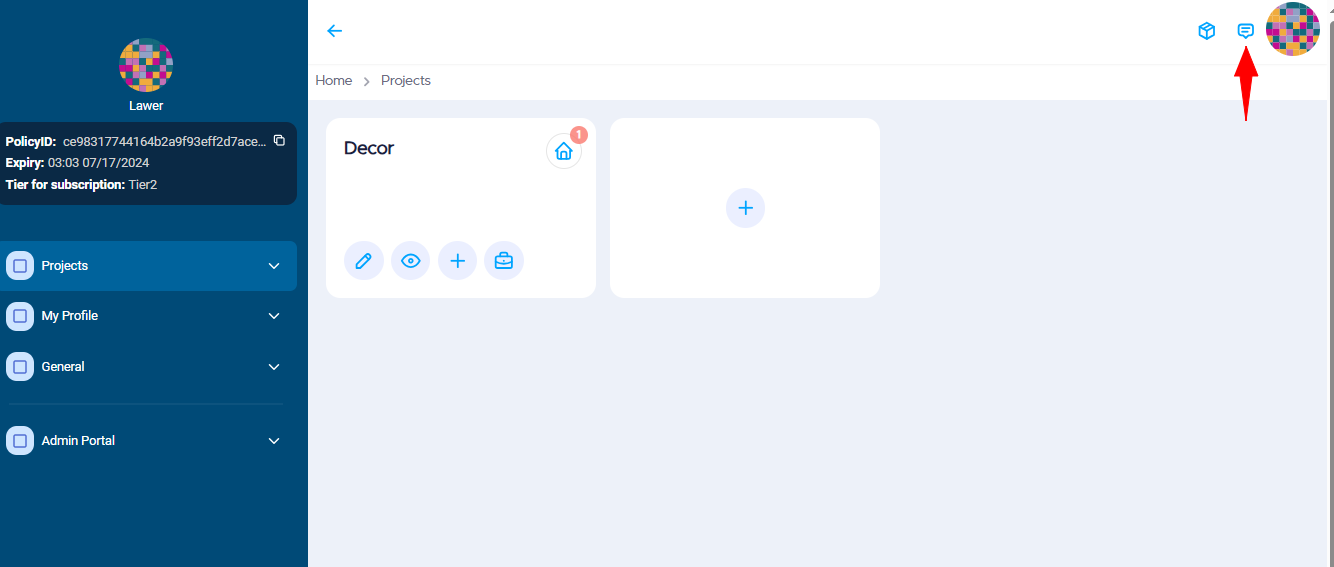
Click on the messenger icon in the top right of the project's dashboard in the ReitCircles portal.
Chat with the Support team
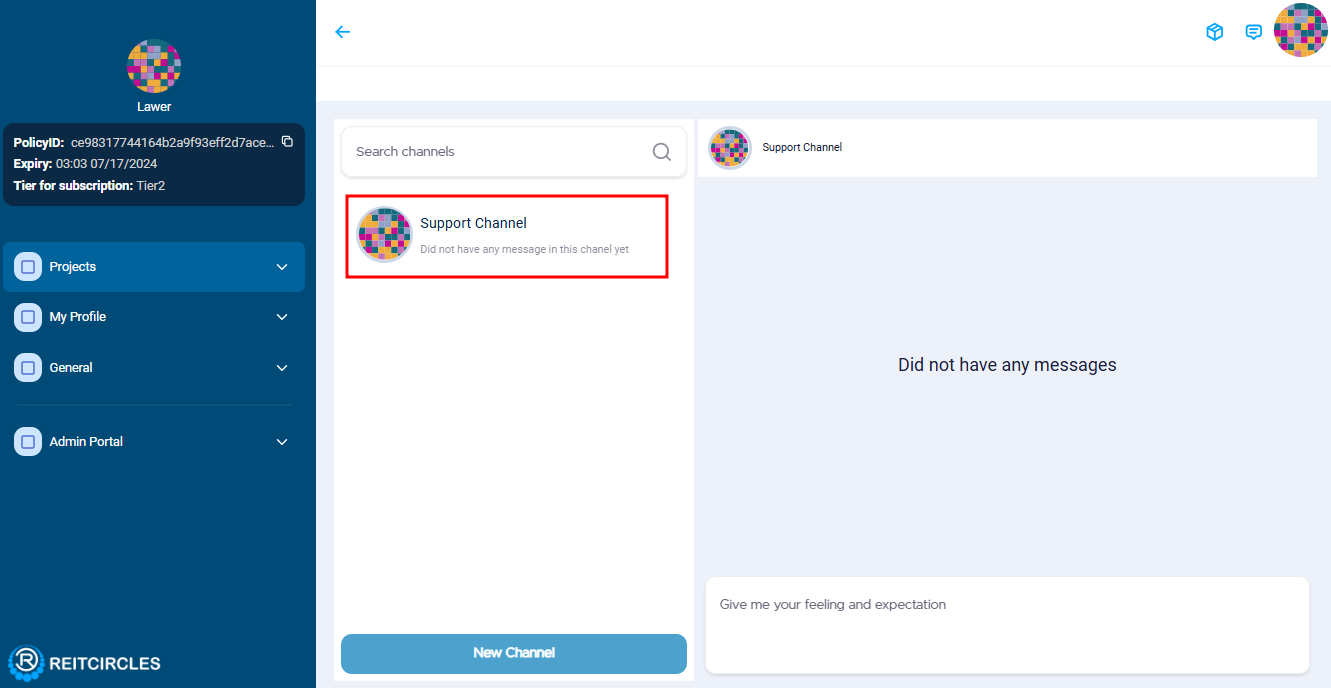
Then click on the support channel to chat with the ReitCircles support team if you want to inquire about the review process or need other information about the portal.
Chat with other Users
To chat with other users on the portal, click on the New Channel button at the bottom. Then, enter the target stake address of the user and click Submit.
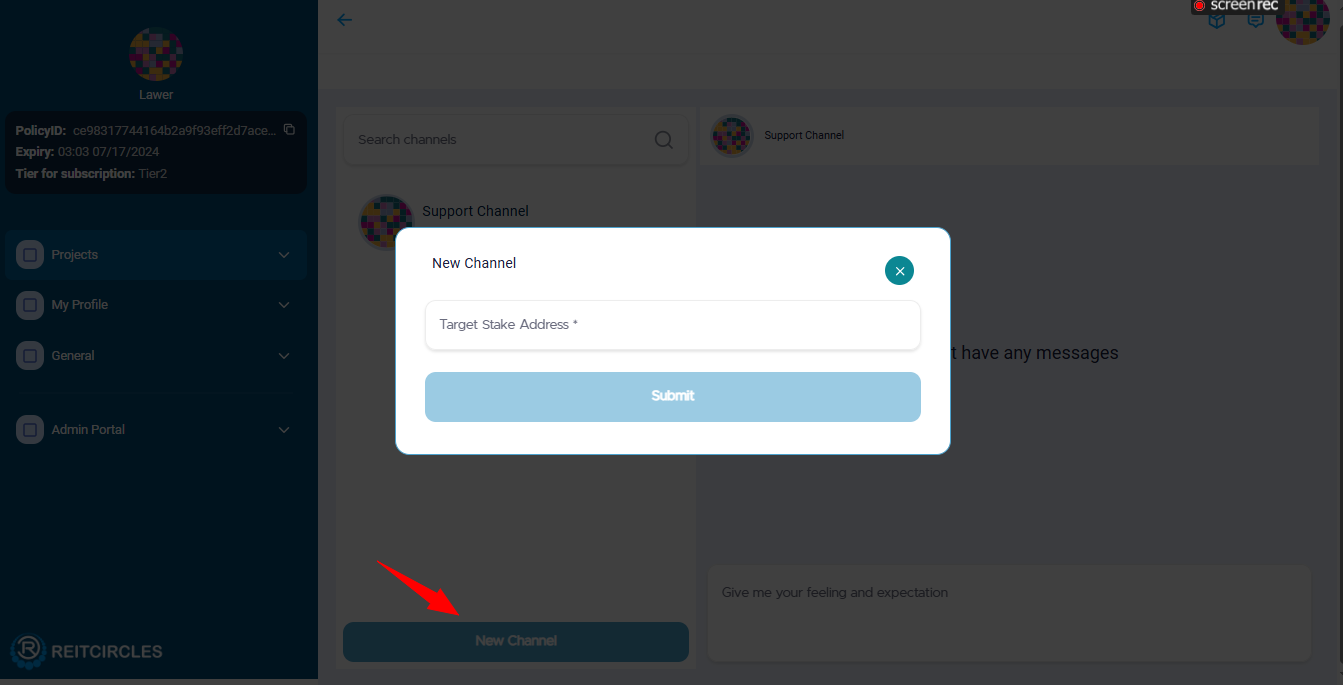
The stake address is a unique identifier for a user and is provided by the NAMI/Eternl wallet. To chat with another user on the chat channel, they need to share their stake address.
Note:
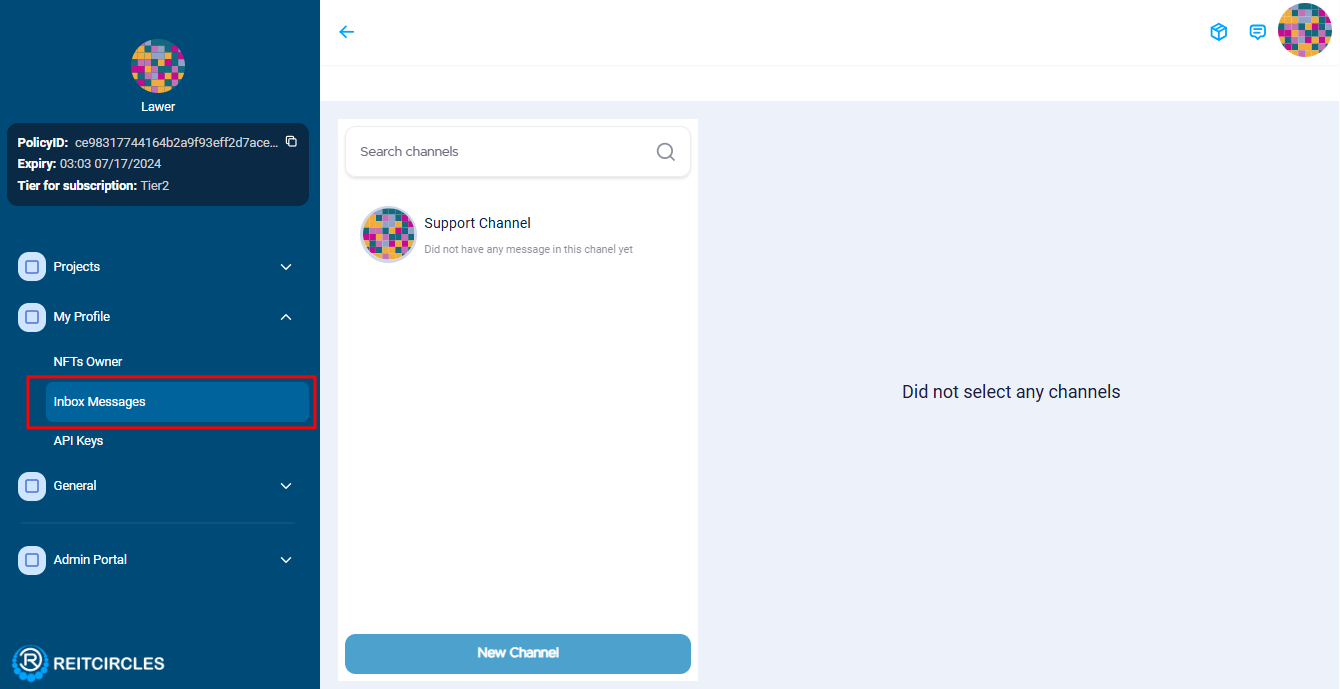
You can also access the chat by clicking on the dropdown menu in the My Profile section and then selecting Inbox Messages.
Receive and Respond to Messages
You will receive notifications for new messages in the chat window. Click on the notification to read and respond to the message.
The chat feature ensures that all your communications are securely stored and easily accessible for reference during the asset verification process.