NFT Minting
Minting your real estate asset as an NFT on the ReitCircles Portal is the next step after onboarding your assets, and the documents submitted have been verified.
The NFT minting process involves converting real estate assets into NFTs and listing them on the ReitCircles marketplace. To mint your assets as NFTs on the portal, you need to ensure that all your documents have been submitted for review and have been reviewed.
To mint your assets as NFTs, follow this process:
Confirm Asset Documents Review
Once your asset documents are reviewed and approved by the verification team, you will receive a notification on the portal.
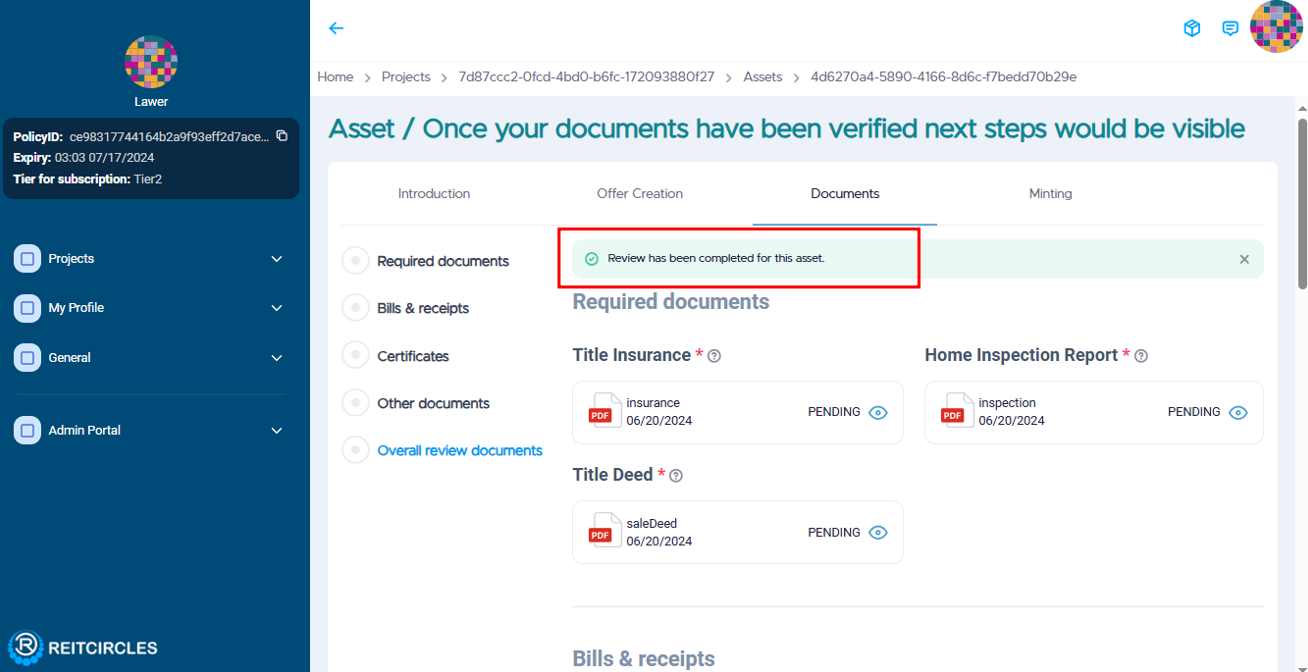
Log in to the ReitCircles portal, in the dashboard, click on the Projects tab, and then click on the Asset you created. To check if you asset documents have been reviewed, click on Documents tab.
You will see a check mark ✅ with Review has been completed for this asset as shown in the image below.
Initiate NFT Minting
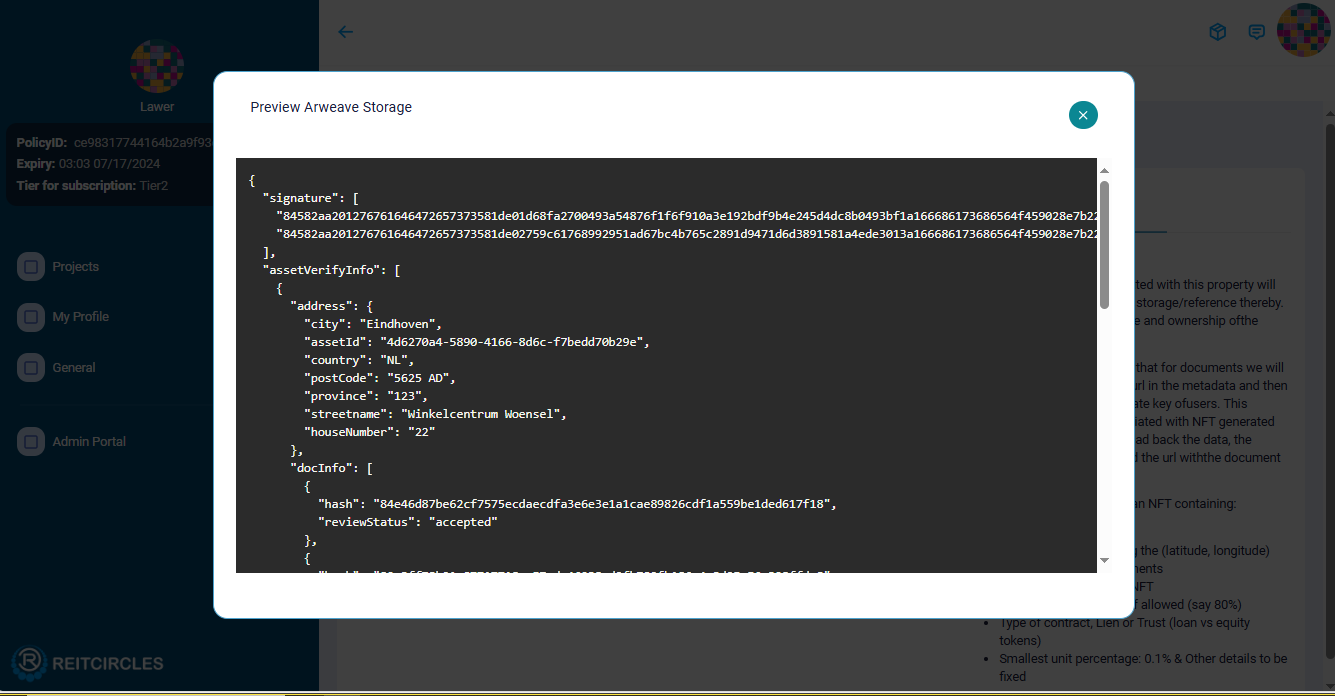
While in the Assets page, click on Minting, next to the Documents tab. You can view the Asset documents that were reviewed and uploaded to the Arweave blockchain by clicking on the Arweave assets verification arrow.
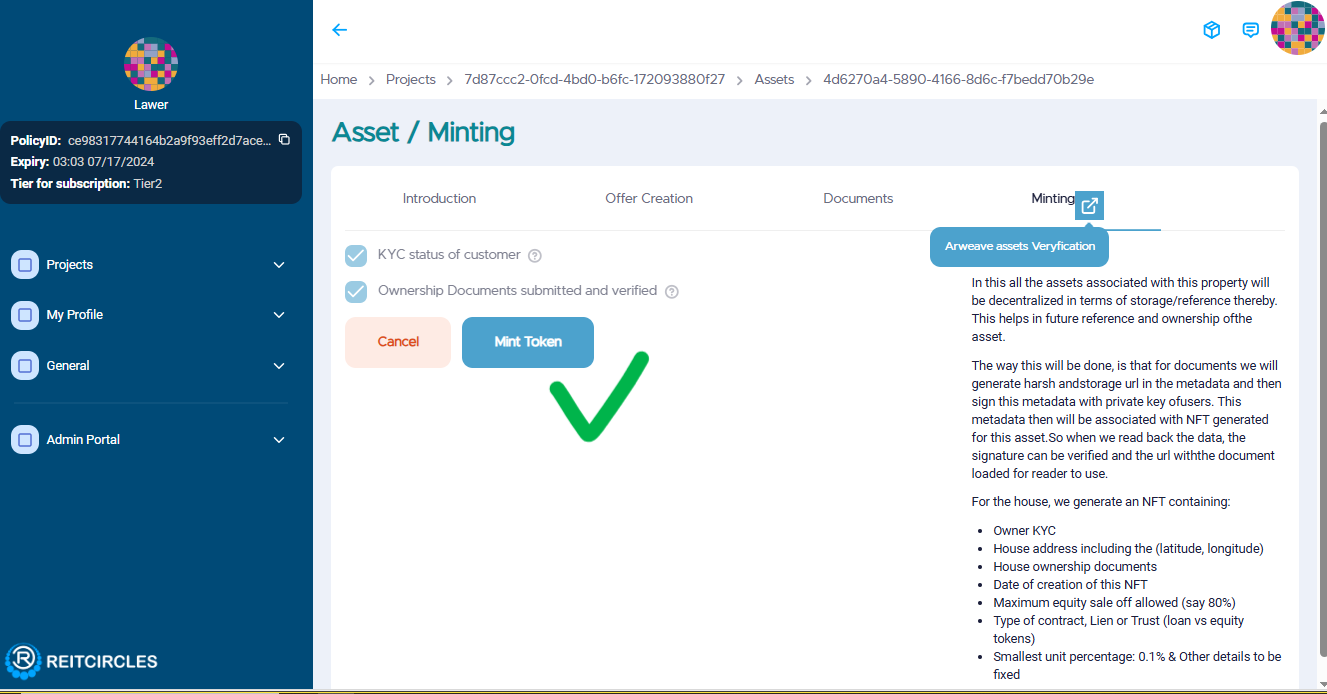
Click on Mint Token to begin the minting process.
Pay and Confirm Transaction
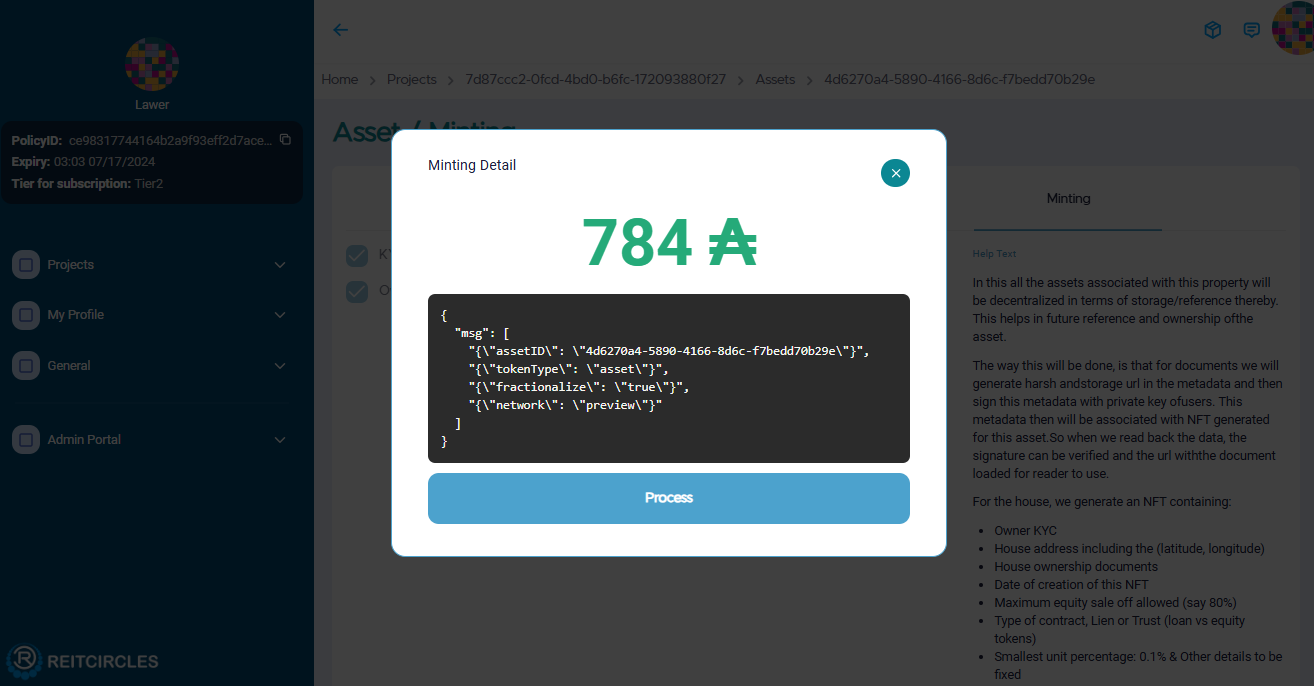
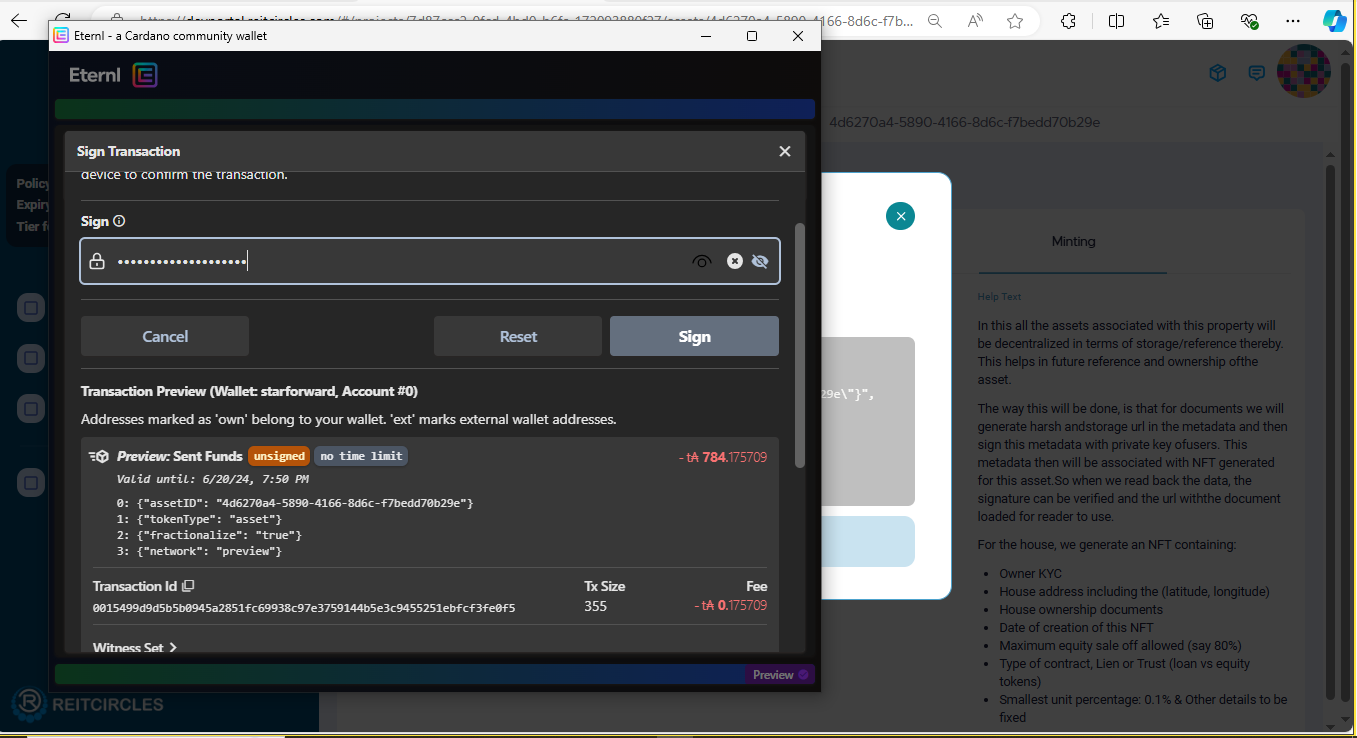
To proceed, you will be required to pay 784 ₳ (ADA tokens). When you click on Process, you will be redirected to your Nami or Eternl wallet, depending on which you registered with and connected to your browser.
In the wallet's confirmation window as shown below, review the details, enter your wallet password and sign the transaction to authorize the minting. This might take some seconds to process.
View the Asset NFT Minted
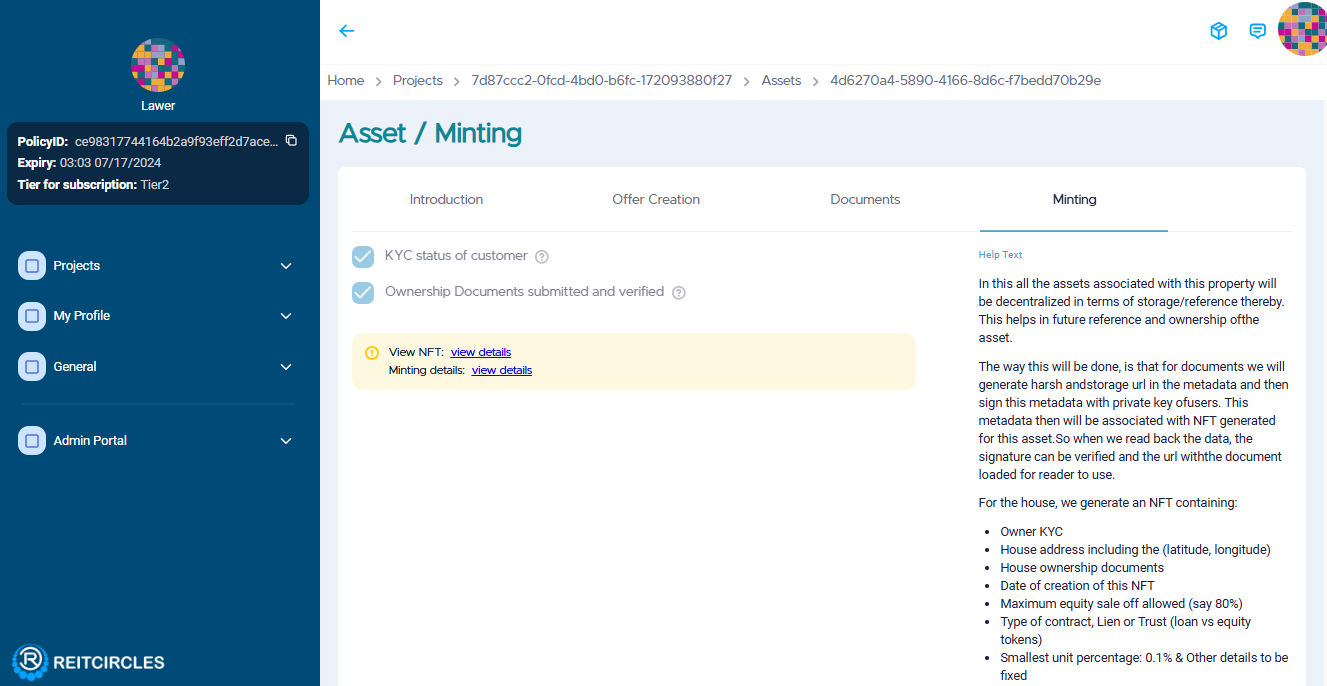
Once the minting is complete, you can view your asset's NFT or minting details by clicking on either of the links as shown below.
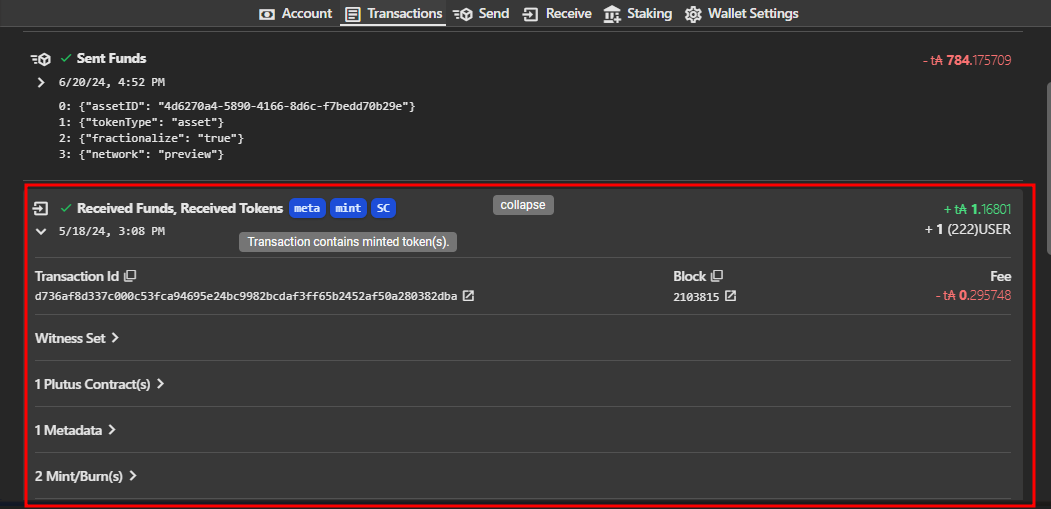
The asset will also be displayed as an NFT in your Eternl/Nami wallet. In Eternl, it will be listed on the Transactions tab like so:
Congratulations! Your real estate asset is now securely stored as an NFT on the blockchain.
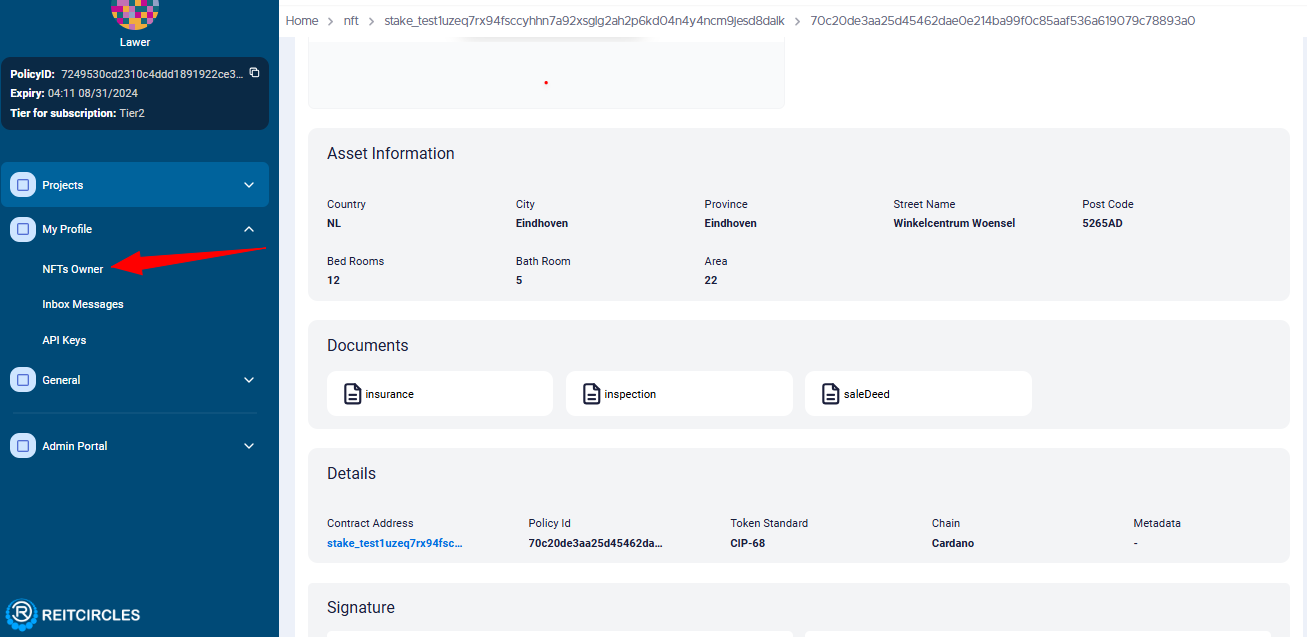
You can view the asset NFT by clicking on NFTs Owner in the My Profile dropdown on the left side of the dashboard. Alternatively, you can navigate to your project, then assets, and click on View NFT.
Accessing the NFT Data
After minting the asset as an NFT, you can access additional information about the asseet which is stored on the Arweave blockchain.
- Once the minting process is complete, the NFT data will be available on Cardanoscan. Note that it might take a few minutes for the data to appear after minting.
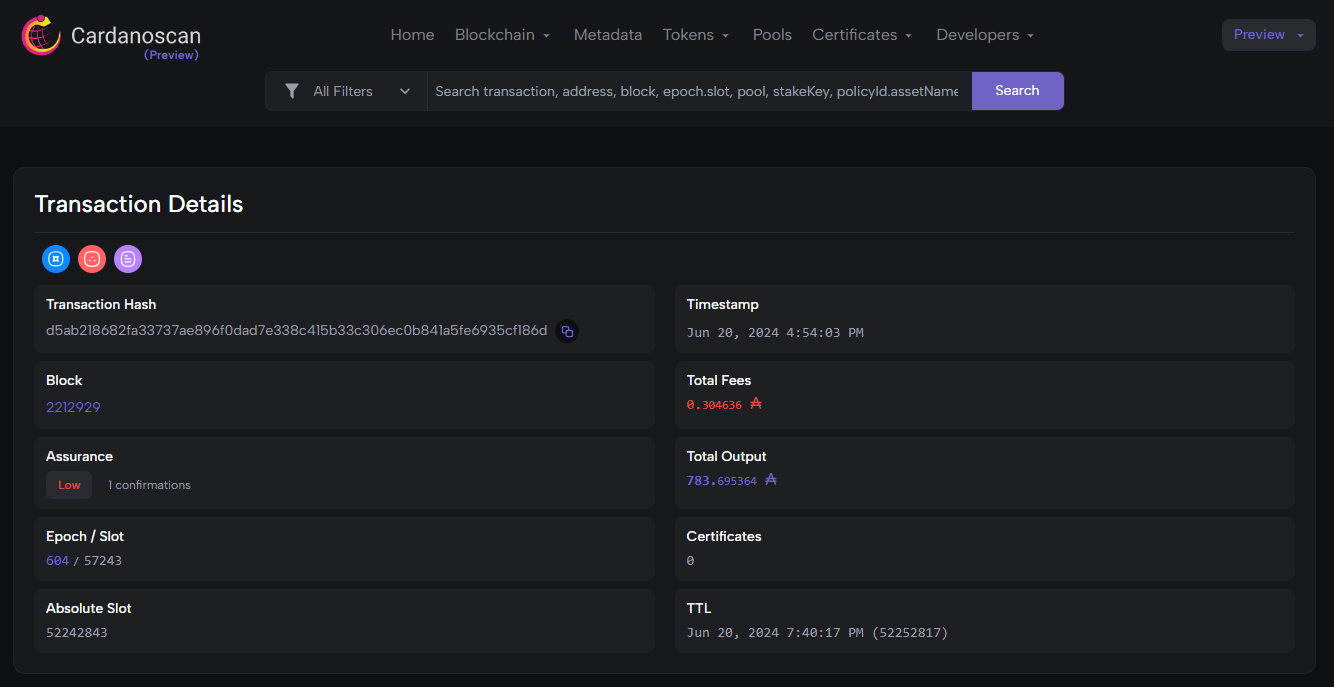
- The asset ownership details are also attached to the NFT. As mentioned above, you can view the NFT and other minting details. This ensures transparency and verifiability of asset ownership on the blockchain.