Profile Pages
The My Profile section on the ReitCircles portal allows you to manage your account information, view your assets, and update your profile details.
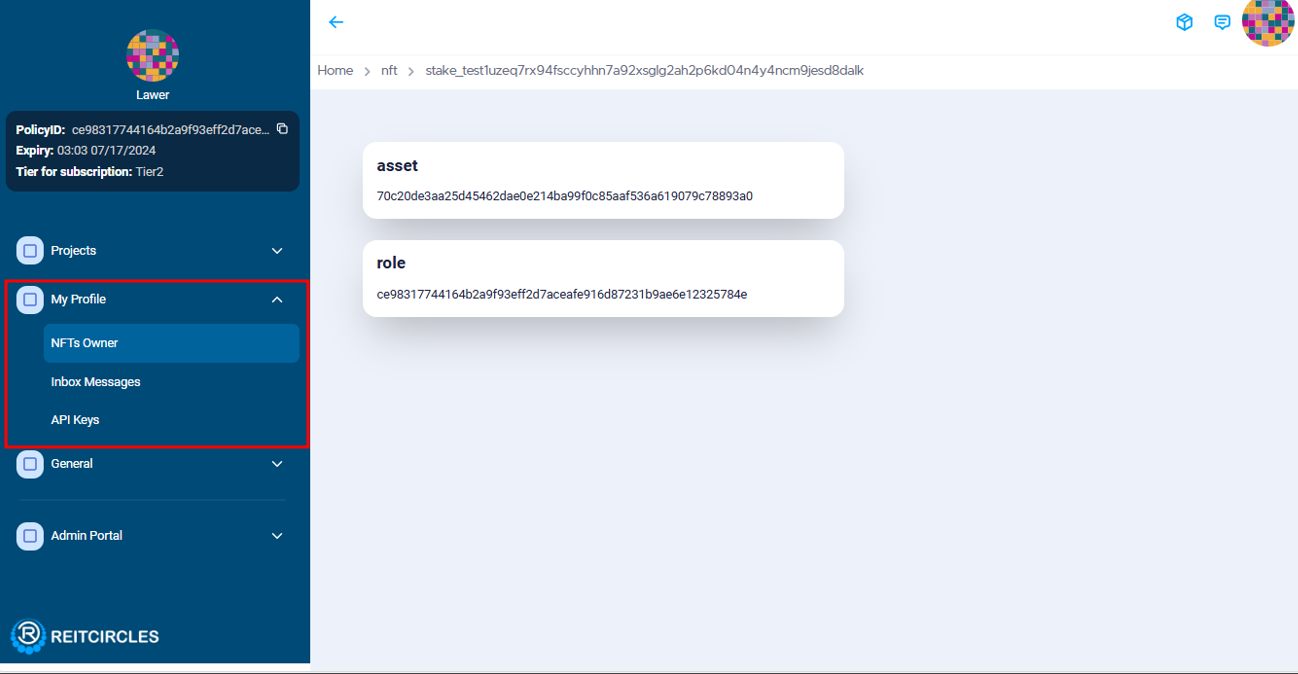
It consists of three subsections: NFT Owners, Inbox Messages, and API Keys.
NFT Owners
The NFT Owners section includes:
- Asset Token: This represents the asset creation and the mint token. Click on "Asset" to view your real estate NFT asset.
- Role Token: Created when you pay for services and subscriptions. When logged into the system and having an active subscription, you can view your role by clicking on the "General" section to see your current subscription plan.
Inbox Messaging
The Inbox Messaging feature allows you to chat with other users on the portal by creating a new channel for each user you interact with. Additionally, there is a Support channel where the Admin can communicate with users and users can receive alerts. For instance, when you upload a document, the system alerts the Support channel.
To chat with another user, you need to have their Stake address, which can be retrieved from the Eternl wallet. The stake address is a unique identifier provided by the wallet and used by users to log in.
API Keys
The API Keys section allows you to manage your API credentials. For more information on available APIs for the ReitCircles portal, please refer to the API documentation.
Managing Your Profile
After logging into the ReitCircles portal, click on your profile icon in the top right corner of the dashboard. On the profile page, you can view your and update your account information.
Make the necessary changes to your profile information and click Save to update your profile.