ReitCircles offers freedom, flexibility, and peace of mind for all real estate owners. Through the portal, you can store and mint your real estate as NFTs. This guide provides a step-by-step process for onboarding assets onto the ReitCircles portal.
Onboarding the Asset
After completing the registration on the portal, the next step is to onboard your real estate property, referred to as an asset. In this section, we will go through the steps involved in onboarding your asset. Let’s begin!
Step 1
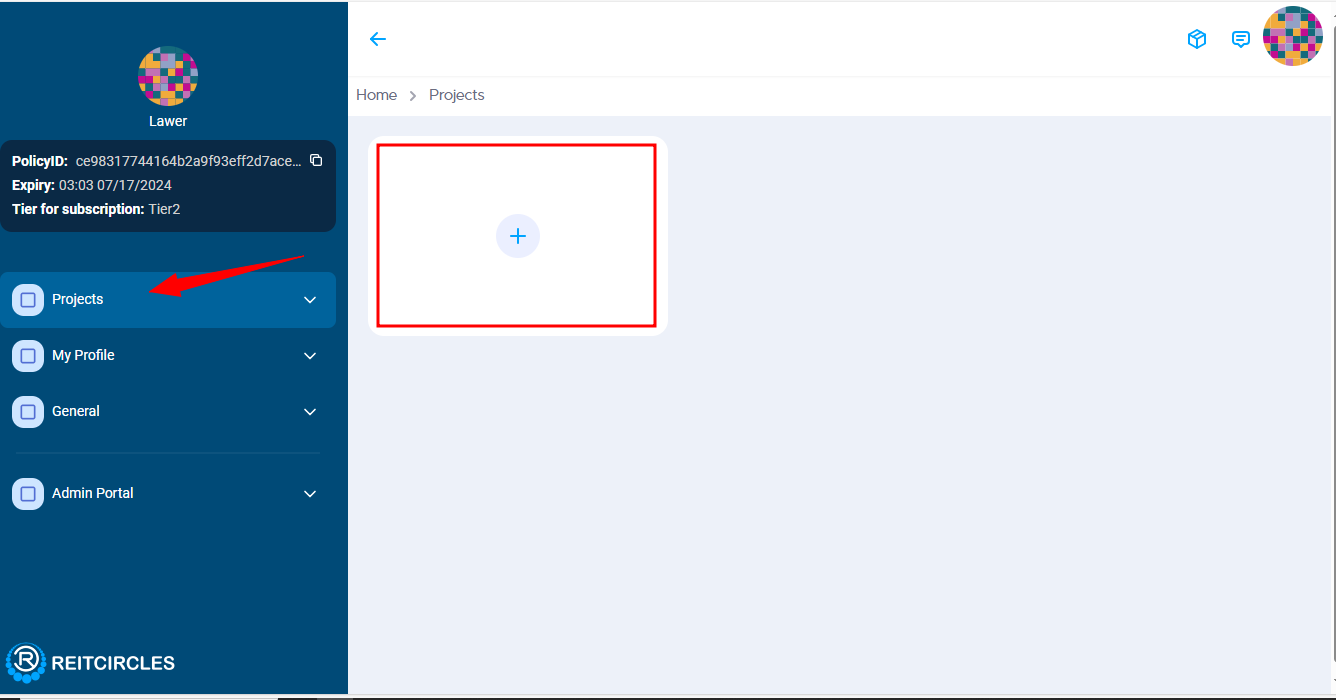
Sign in to the ReitCircles portal, and in your dashboard, click on Projects and then the + button to add a project. You need to first add a Project before adding an asset. A project is a collection of related assets, such as a housing development with multiple properties. Think of a project as a large housing project that includes several smaller assets.
Follow this guide Login Process to register on the portal if you have not.
Step 2
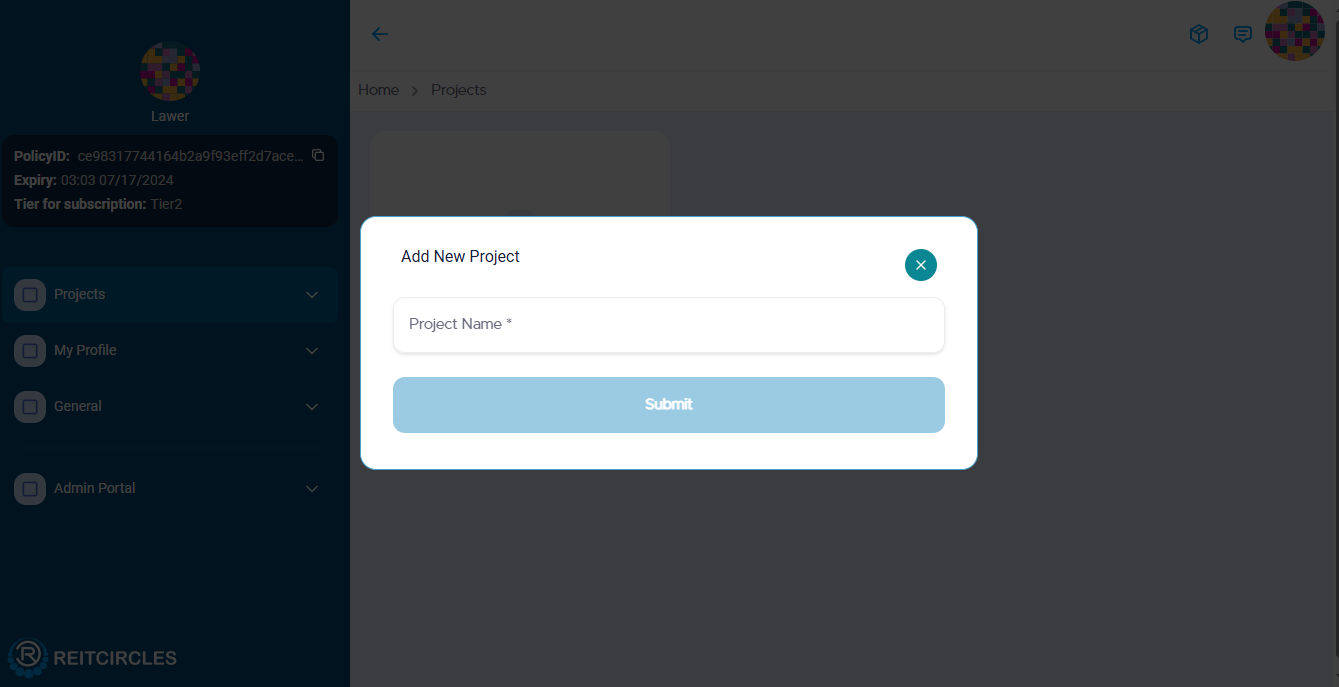
Enter the name of your project and click on Submit. Ensure that you follow any specific requirements or formats for the project name.
Step 3
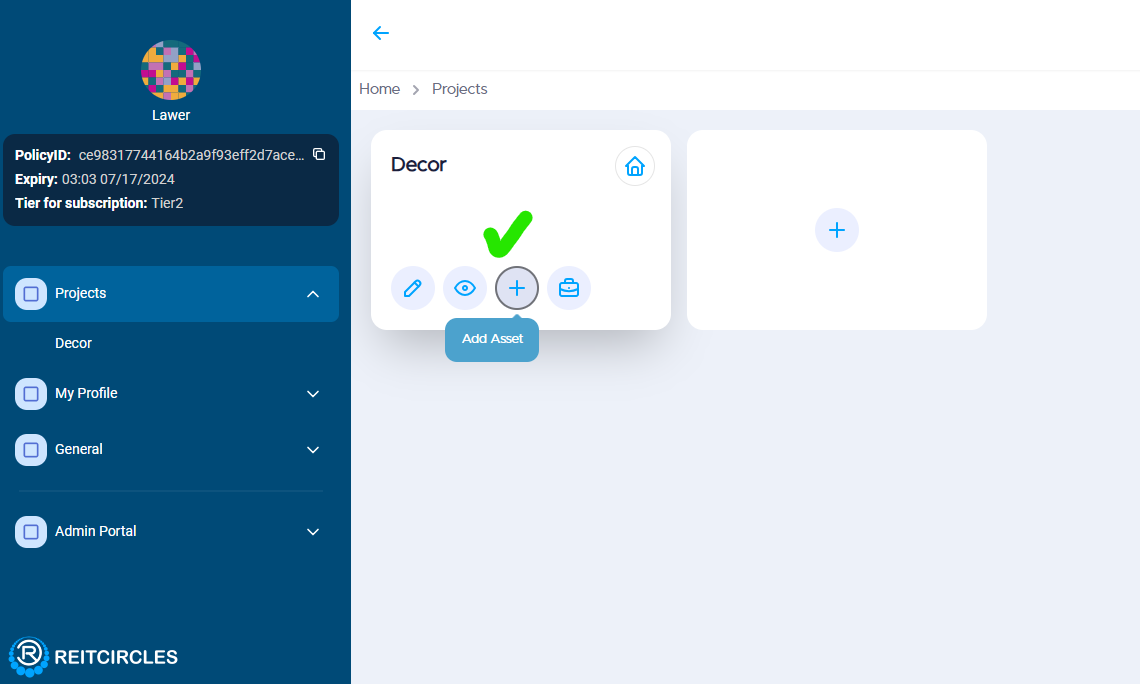
After creating a project, you can then add an asset to the project.
Step 4
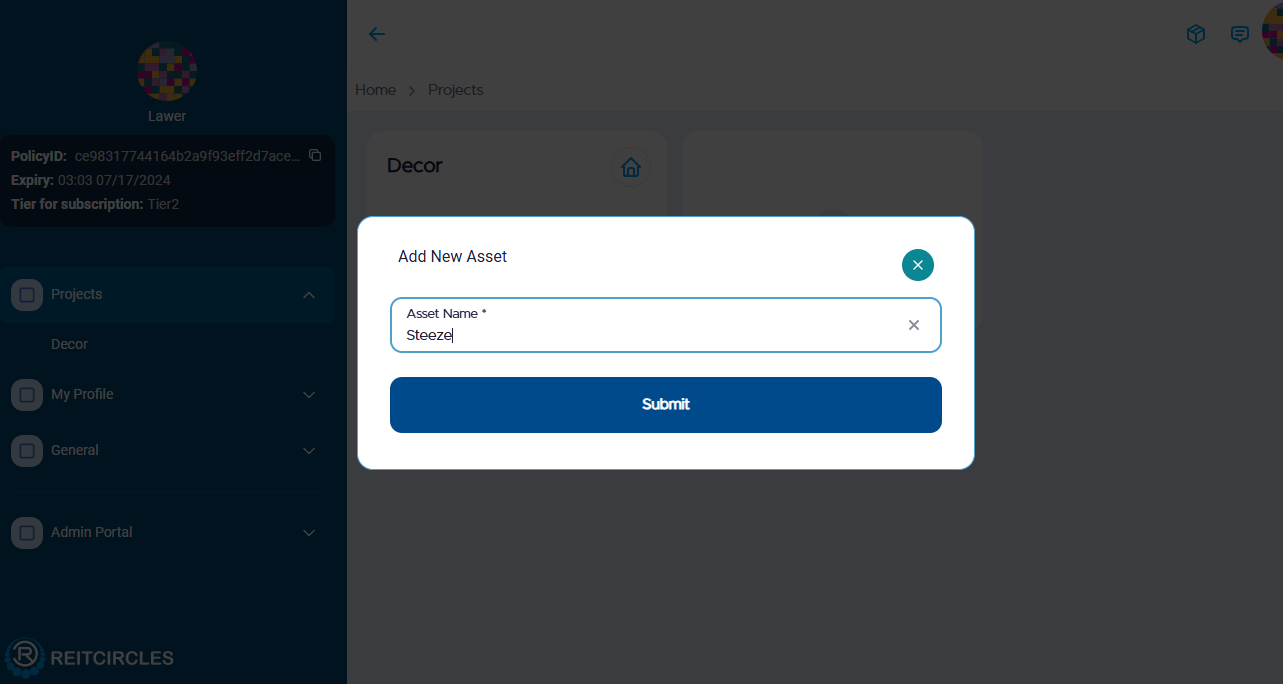
Click on the + button, enter the Asset name, and submit. An asset is an individual property within your project.
Step 5
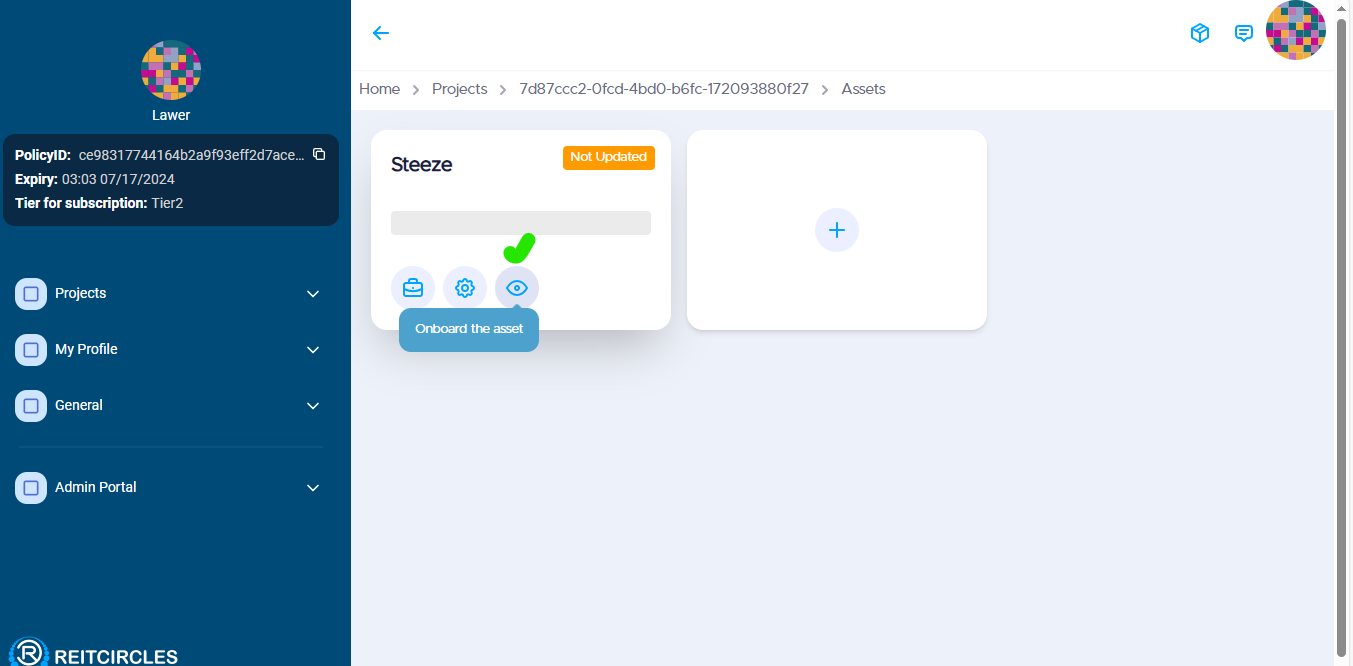
You will then see a home icon with a notification. Click on it, which will then show the Asset. Click on the circle icon to begin the process of onboarding your asset into the portal. The circle icon represents the action to start the onboarding process.
Step 6
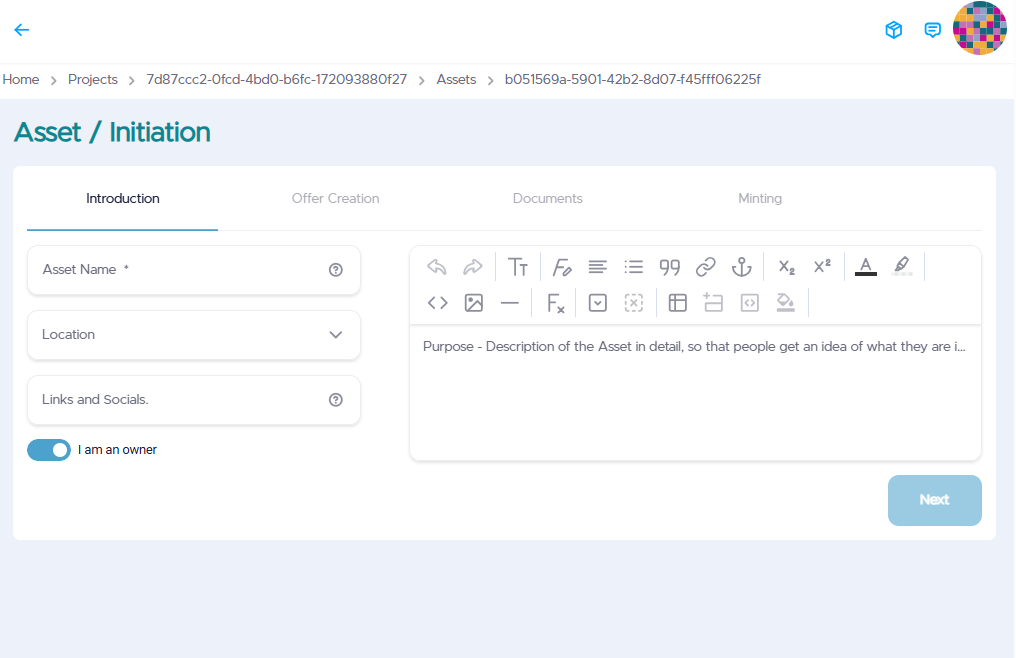
To onboard an asset, you will need to complete three steps: Introduction, Offer Creation, Documents, and Minting. Each of these steps will require you to add information about the asset such as the asset name, type of asset, location, upload market details (pictures and other information) of the asset, and then submit the documents for review.
Ensure you use the correct address for the asset, the portal uses Google Map to verify it, and will also be confirmed by the reviewing team.
Step 7
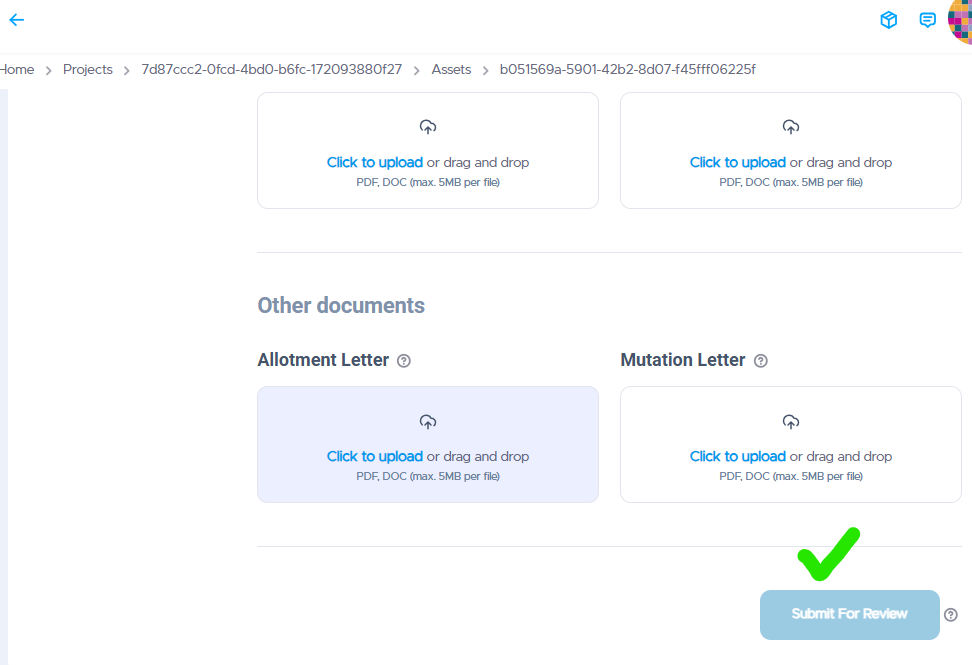
After you have uploaded all documents, click on Submit for review. When documents are submitted, they will be uploaded to the Arweave blockchain, then only they can be reviewed. If successfully reviewed, the asset can be minted as an NFT on the ReitCircles portal. The Arweave blockchain ensures secure and permanent storage of your documents.
Note:
- The documents to upload can include the Certificate of Ownership, MOUs, Receipts, and photos of the real estate property.
- These documents are reviewed by a real-world legal person on the portal, and if verified, the you will be notified. If not, you will be asked to resubmit.