How to Get Test Tokens for the ReitCircles Portal
💡 With your Eternl wallet address, you can get ADA test tokens, and use it to try out the portal before using real money. Follow the steps below to learn how.
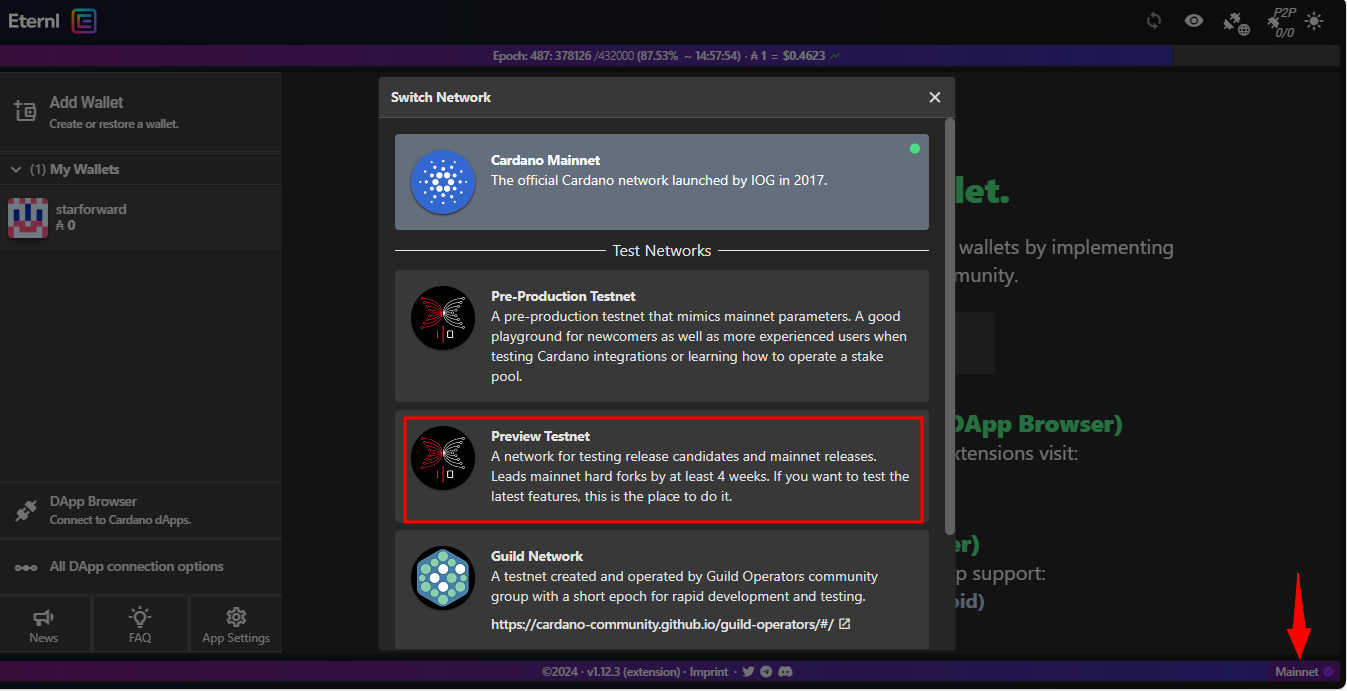
- Create your Eternl wallet and set it to the Preview network by first clicking on Mainnet at the bottom right of the Eternl platform, as shown in the image below and then selecting Preview Testnet from the options.
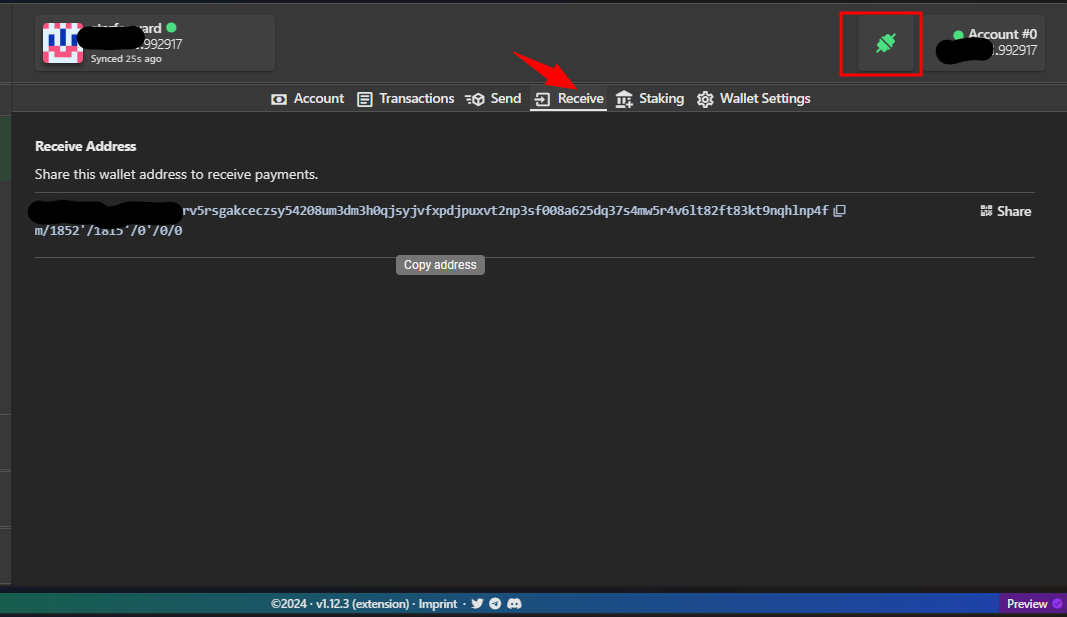
- Click on Recieve to view your Eternl wallet address, then click on the address to copy it. At the top right you will see a green connecting icon, also click on it to connect your Eternl wallet to the browser which will be used when you are registering with the portal.
- Go to the Cardano Testnet faucet website, paste your wallet address and click on Request funds to receive the test ADA tokens in your wallet.
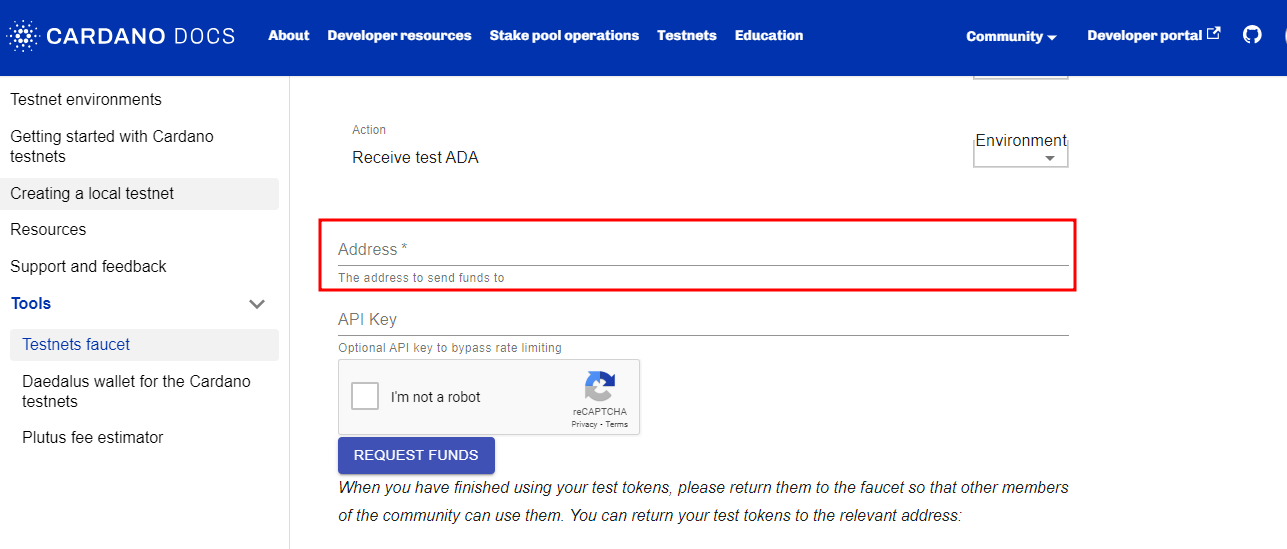
And that's it! Go to your Eternl wallet and refresh it, you will the test ADA tokens in your wallet which you can use to try out the ReitCircles portal.