Multiple-Review System
The Multiple-Review Oracle System ensures that each real estate asset uploaded to the ReitCircles portal is reviewed and confirmed by two reviewers before proceeding to the NFT minting process. This system upholds transparency and verifiability, aligning with the blockchain principle of transparency.
To review a document, you must first be assigned the reviewer role, which gives you access to the Reveiwing documents section of the ReitCircles portal.
When you have the reviewer role, follow the steps below to review an asset's documents:
- Sign into the portal, click on General in the mid-left section, and then click on My Asset Audit. You will then see the latest documents submitted for review, a section to preview each of the documents submitted for review, and also a section to add comments you have after review.
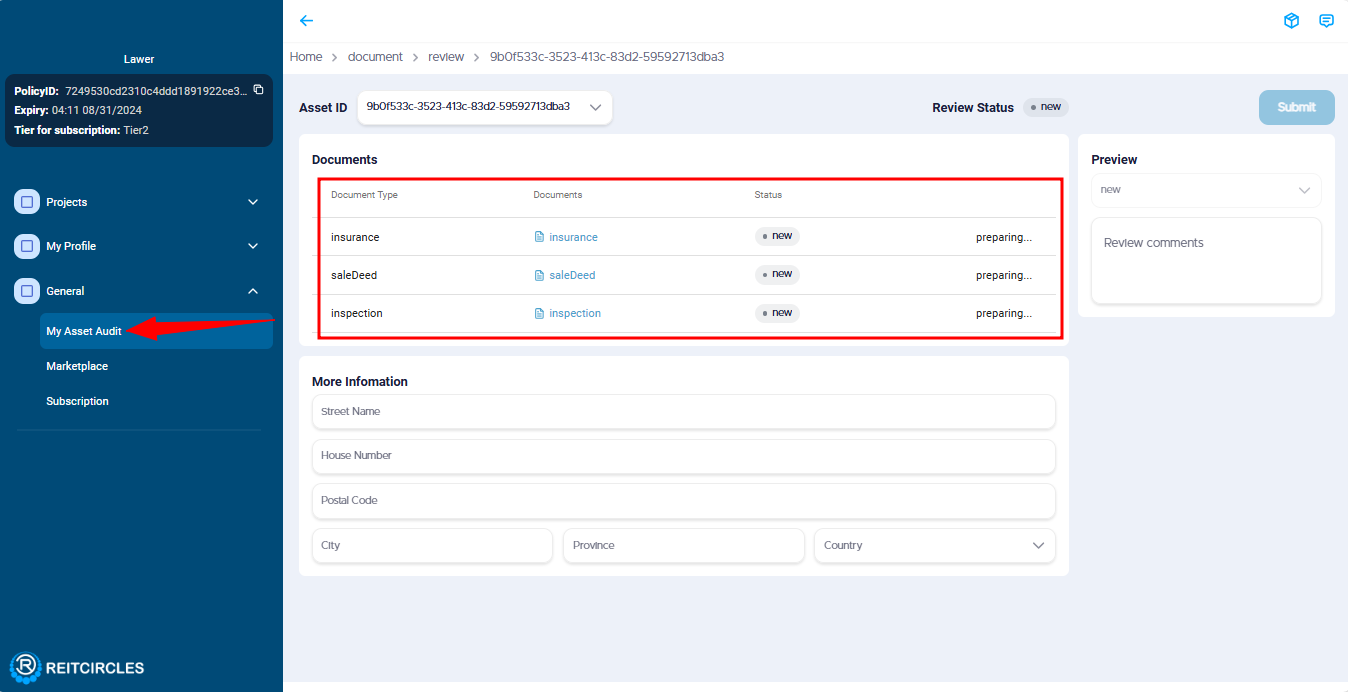
Note: If a document has been submitted for review and the status showing preparing like in the image below. This means the document was recently submitted and is being uploaded to the Arweave blockchain. When the document has been uploaded successfuly, status will change to pending.
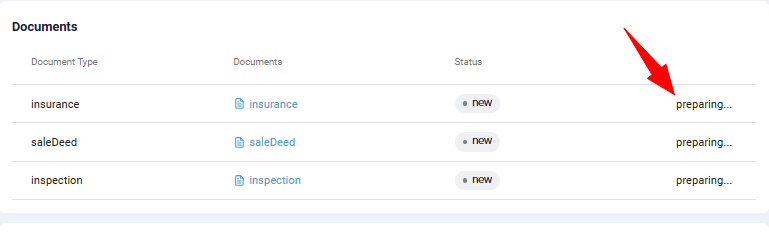
- After the documents have been uploaded to the Arweave blockchain successfully, the status changes to pending and the Review is shown by the side. You can then click on each document to begin reviewing.
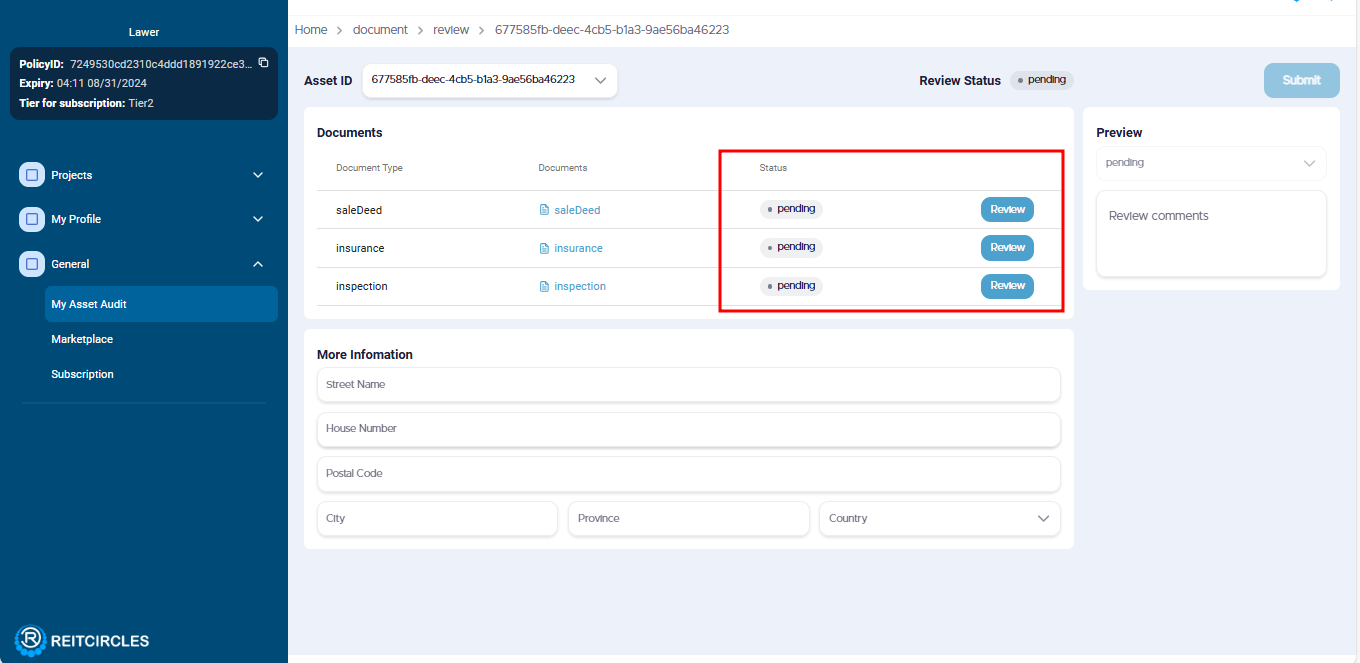
- To begin reviewing click on the Review button of the first asset document. Then you can view the document by clicking on the eye 👁 icon, if confirmed to be correct or not, change the status by clicking on the dropdown icon next to pending to either approved or rejected. Add a comment about the document and click on submit.
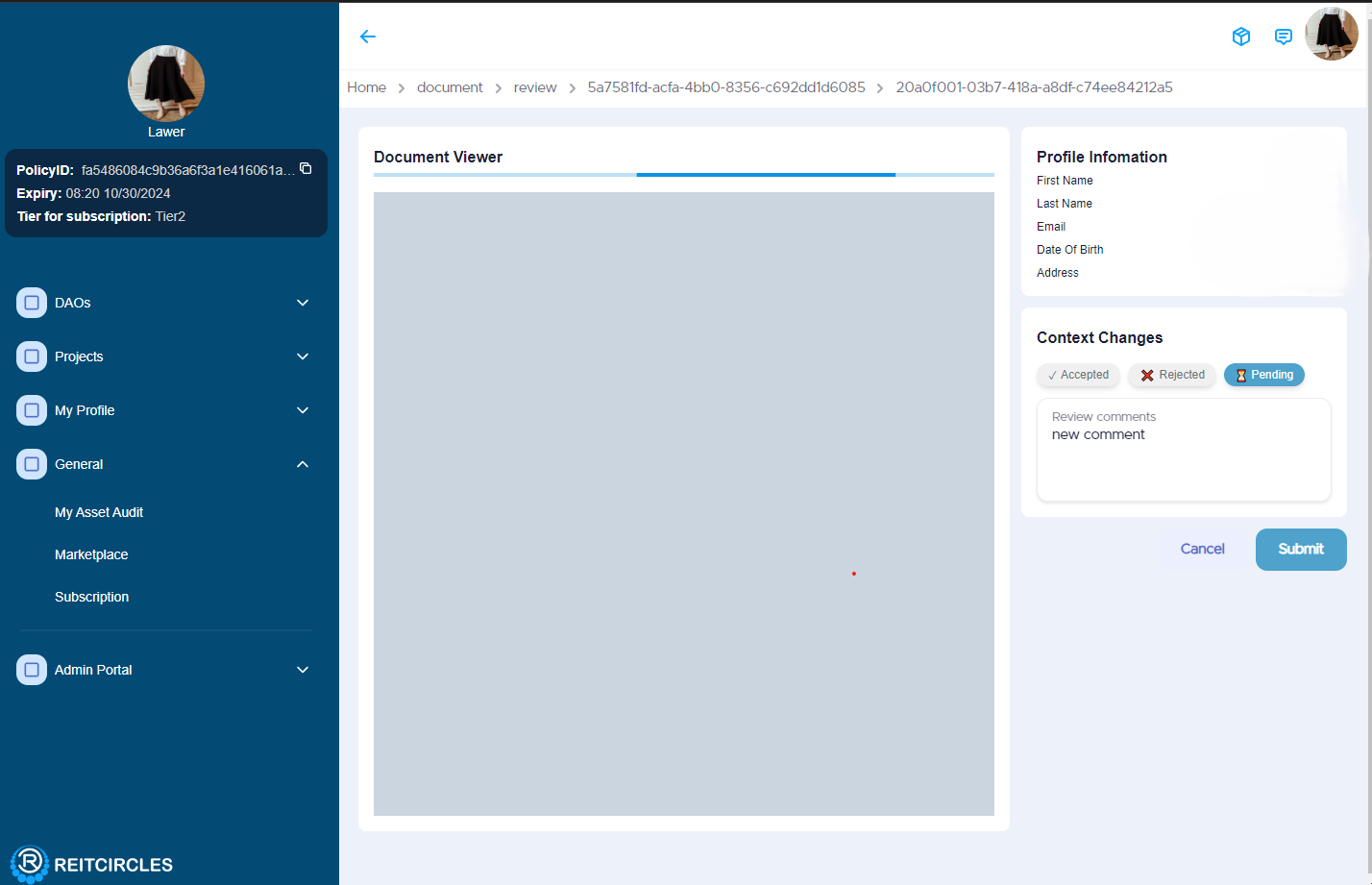
After reviewing the first document, you can see that the status changes and then you proceed to review other documents.
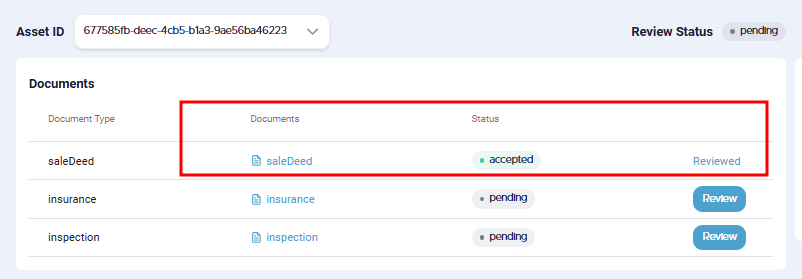
- When all documents have been reviewed, then you will enter the address details of the asset in the More Information section, and any other comment you have in the Review comments and click on the Submit button.
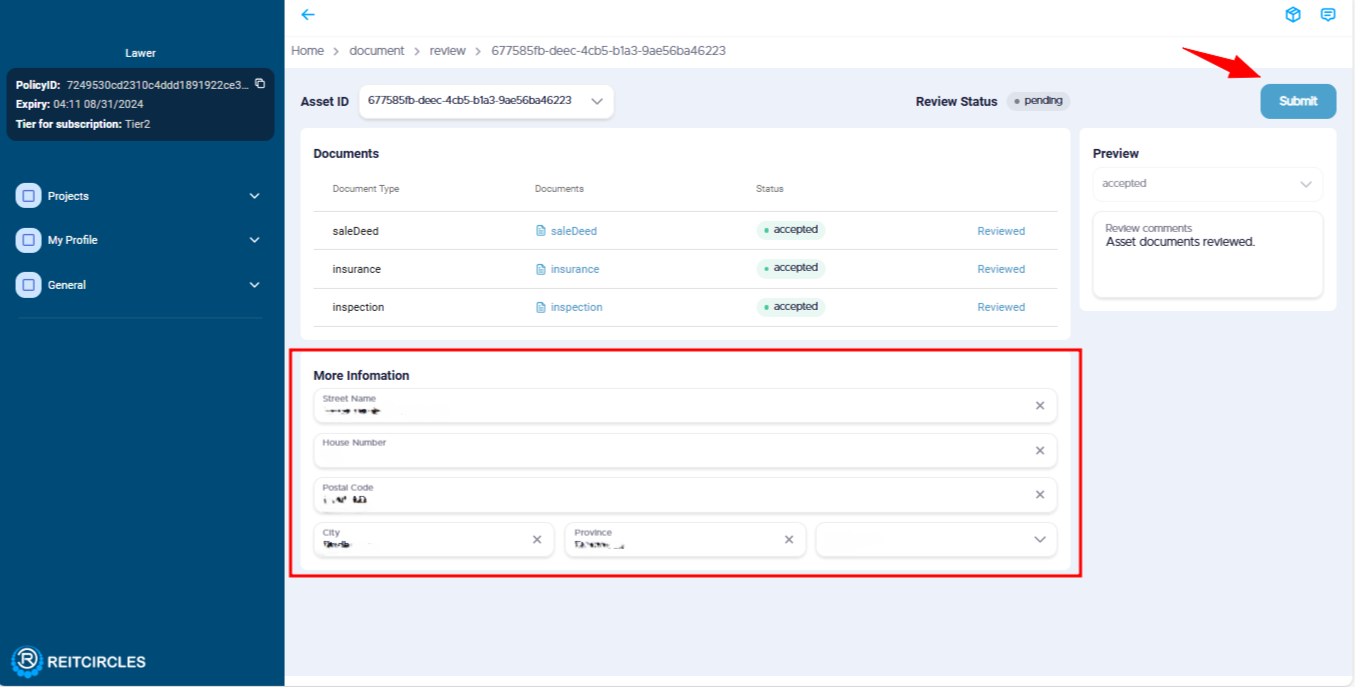
- When you click on the Submit window, the Eternl window or Nami if that'ss what you registered on the portal with pops up for you to sign the review process with your password. Then enter your password and click on Sign to proceed.
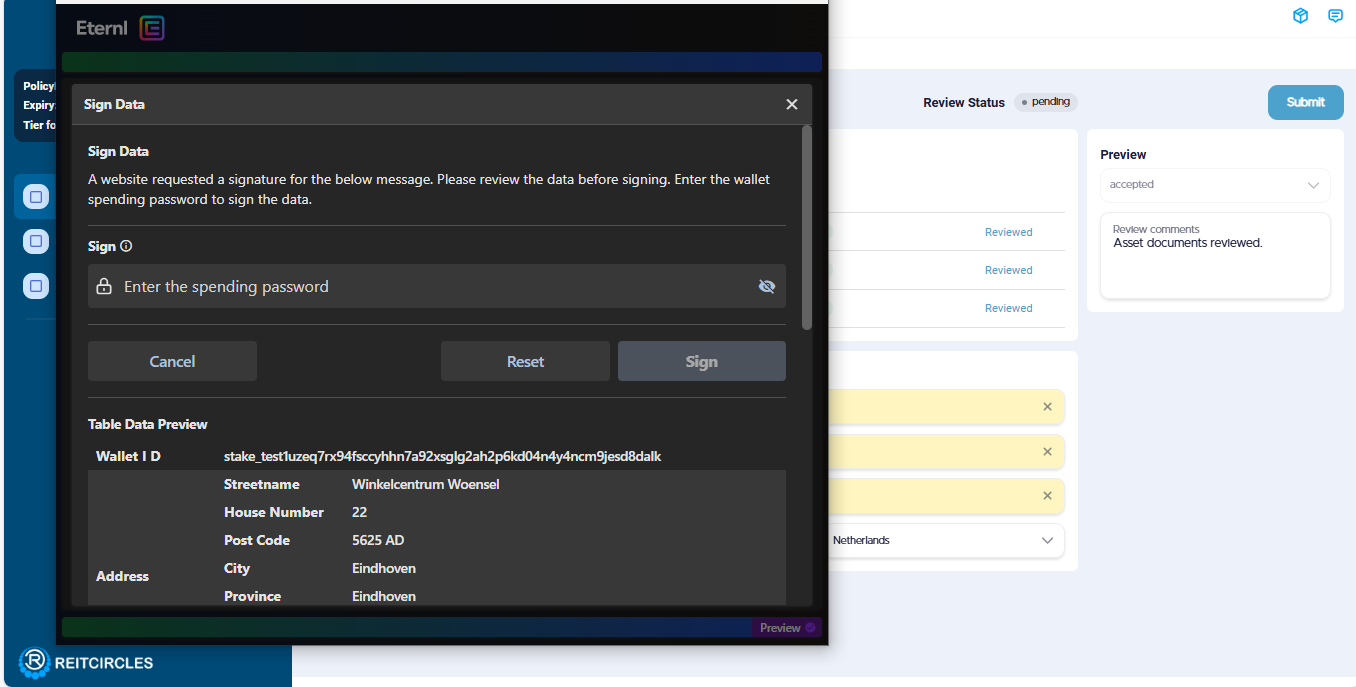
And that's it you have successfully reviewed the asset's documents! The other reviewer assigned will also participate in the review process.
Note: Reviews are required from all the reviewers for the asset to be approved. If only one reviewer completes the review, the asset cannot proceed to the NFT minting process. The multi-review process ensures that all documents are thoroughly checked and verified, maintaining the integrity and transparency of the ReitCircles platform, in line with the principles of blockchain technology.